
Blog
Mac Tips
Handy Mac OS X tips for developers: keyboard shortcuts, Finder tricks, and workflow improvements to speed up your daily development tasks.
- Show hidden files and folders in Finder
- Show hidden files and folders from an application’s Open dialog
- Remove Duplicate Entries in ‘Open With’ Menu
- Show your workings with Calculator
Show hidden files and folders in Finder
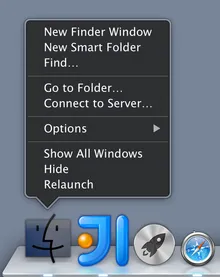
From a terminal window
$ defaults write com.apple.Finder AppleShowAllFiles YESThen relaunch Finder with Option ( ) + Right Click,
 Relaunch. Switch back using NO.
Show hidden files and folders from an application’s Open dialog
When you’ve got the dialog open, just hit Command ( ) + Shift (
 ) +
) + . to toggle. Nice.
Remove Duplicate Entries in ‘Open With’ Menu
Remove duplicate entries from the terminal window.
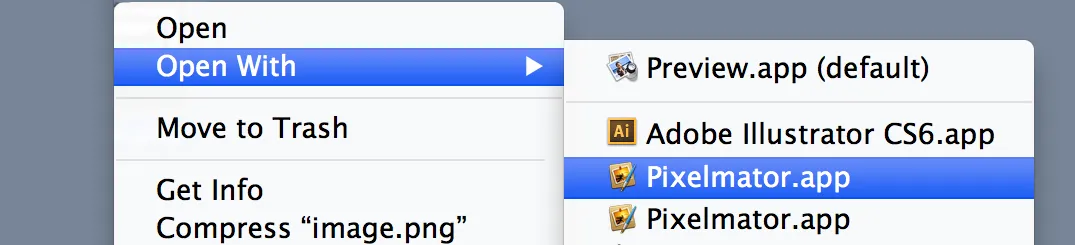
$ /System/Library/Frameworks/CoreServices.framework/Versions/A/Frameworks/LaunchServices.framework/Versions/A/Support/lsregister -kill -r -domain local -domain userShow your Workings with Calculator
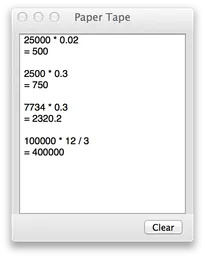
Hitting Command () + T in the Calculator app shows the paper tape so you can see you past calculations!
Discussion